VALORANT LFG on Discord: Fill Your 5-Stack by Role
Your ranked stack is stuck at three with two seats open. Post /invoke for the two you need, and whoever joins also picks a role: Duelist, Controller, Initiator, or Sentinel. Notifications, a dedicated VC, and Riot ID sharing kick in the moment all five are in.
Fill the last one or two VALORANT spots on Discord
Every Join click updates that number live on the message, so nobody's typing "how many do we have" into chat every few minutes.
Register Duelist, Controller, Initiator, and Sentinel as roles
Set Duelist, Controller, Initiator, and Sentinel up as roles when you create the /invoke recruitment, and once someone hits Join, a role picker opens under the message for them to claim their preferred role. You can see who wants what before all five seats are even filled.
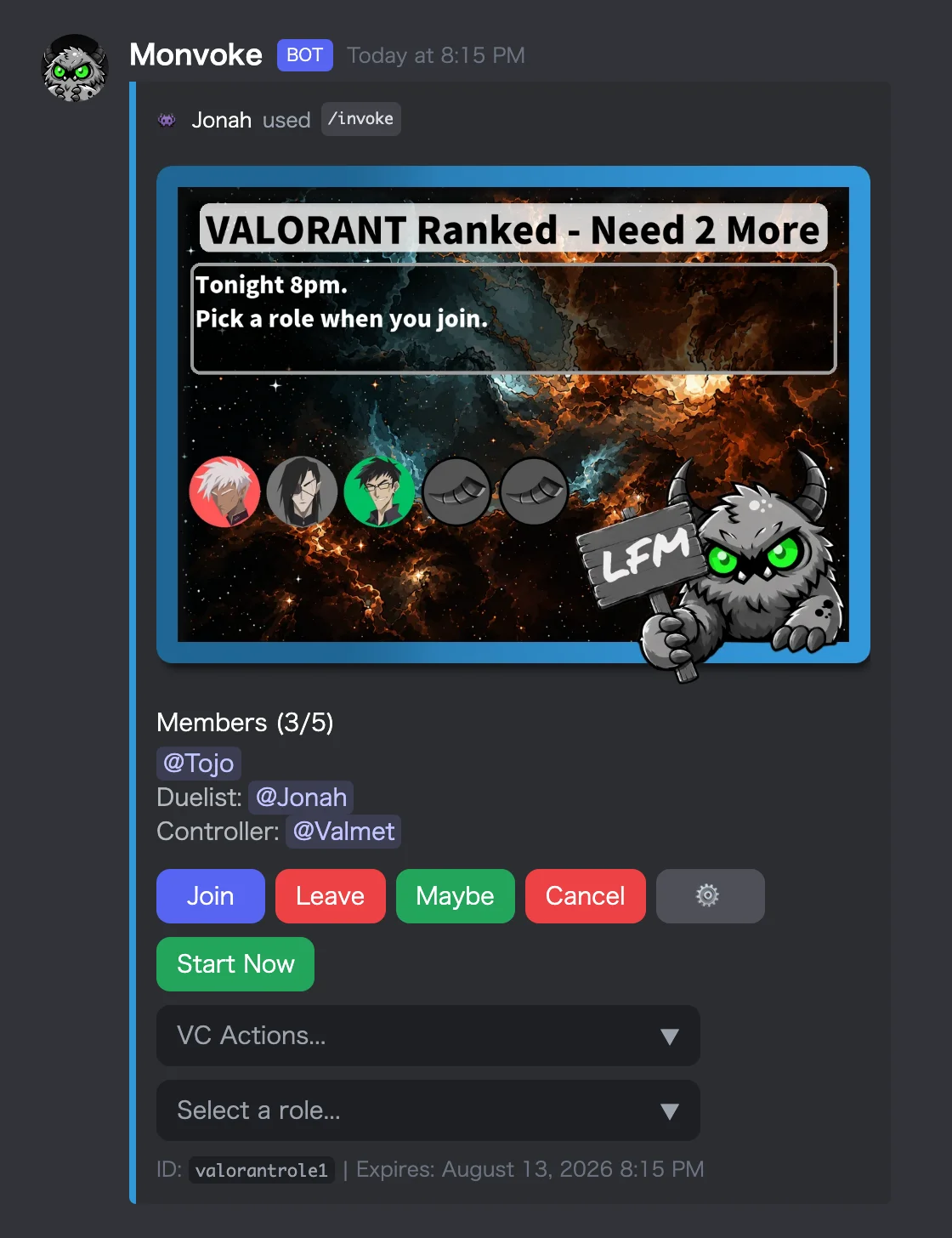
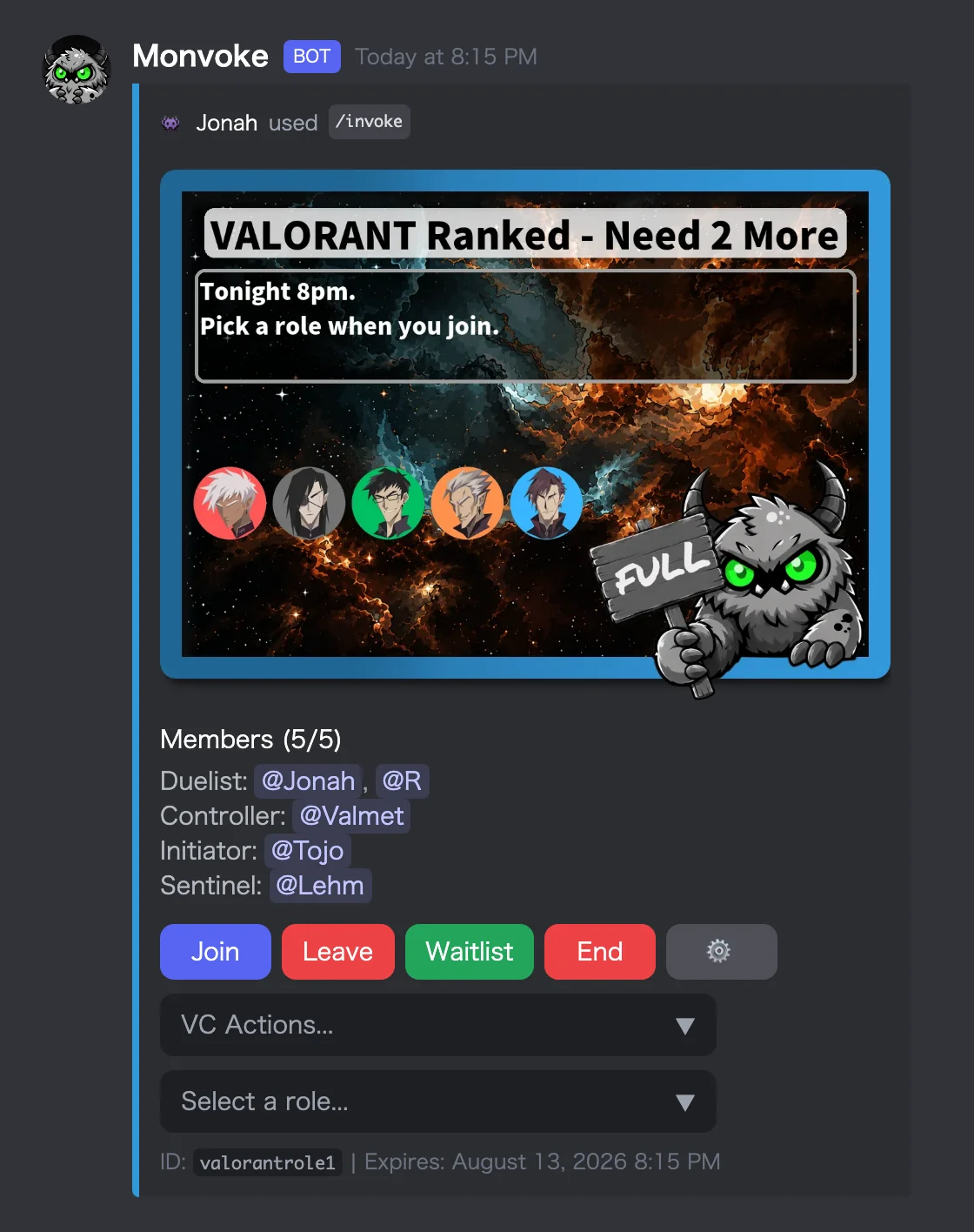
Once all five are in, the roster splits into role groups, so everyone can see who's picked what and talk through agent picks together.
Once the stack fills, notifications, a dedicated VC, and ID sharing kick in on their own
The moment headcount hits target, everyone gets a DM. Choosing "Create Dedicated VC" from the menu of VC actions on the message opens a voice channel reserved for the group, and its name comes straight from what you called the recruitment. Anyone who registered a Riot ID with /id beforehand gets it dropped into that channel's chat the moment they connect, so the name you need for a friend request is already sitting there. Once the last person disconnects, the channel is gone.
Mark Maybe when plans are uncertain, join the Waitlist once you're full
Someone who can't commit yet but doesn't want to be counted out entirely can click Maybe rather than Join; that reply sits outside the headcount entirely. Once you're full and someone drops, whoever's sitting at the top of the Waitlist gets bumped straight into the open slot. The full mechanics are covered in Discord Recruitment to Voice Channel: What Happens Automatically.
Running 10-man custom matches? /custom handles the split
If your server actually runs 10-man custom matches alongside the usual ranked grind, /custom is built for exactly that. Once everyone's joined, Monvoke splits the lobby into two 5-stacks based on each player's rate inside Monvoke. Report a winner after the match and rates update automatically; check standings any time with /ranking. The team-split and rating mechanics are covered in Discord Team Balance Bot for Custom Matches | Monvoke and Report the Result, Watch the Rate Move.