Monvoke LFG Post Styles on Discord: Image Card or Text
Monvoke's LFG posts on Discord come in two display styles: a recruitment image or plain text. The image style puts the title and description on a card that stands out in the channel, while the text style shows them as ordinary text that sits lightly in the flow of chat. You can pick one to suit your server, and on the Plus plan you can set the style per channel, so a tournament channel can use images while your nightly ranked channel uses text.
Use a recruitment image so the state reads at a glance
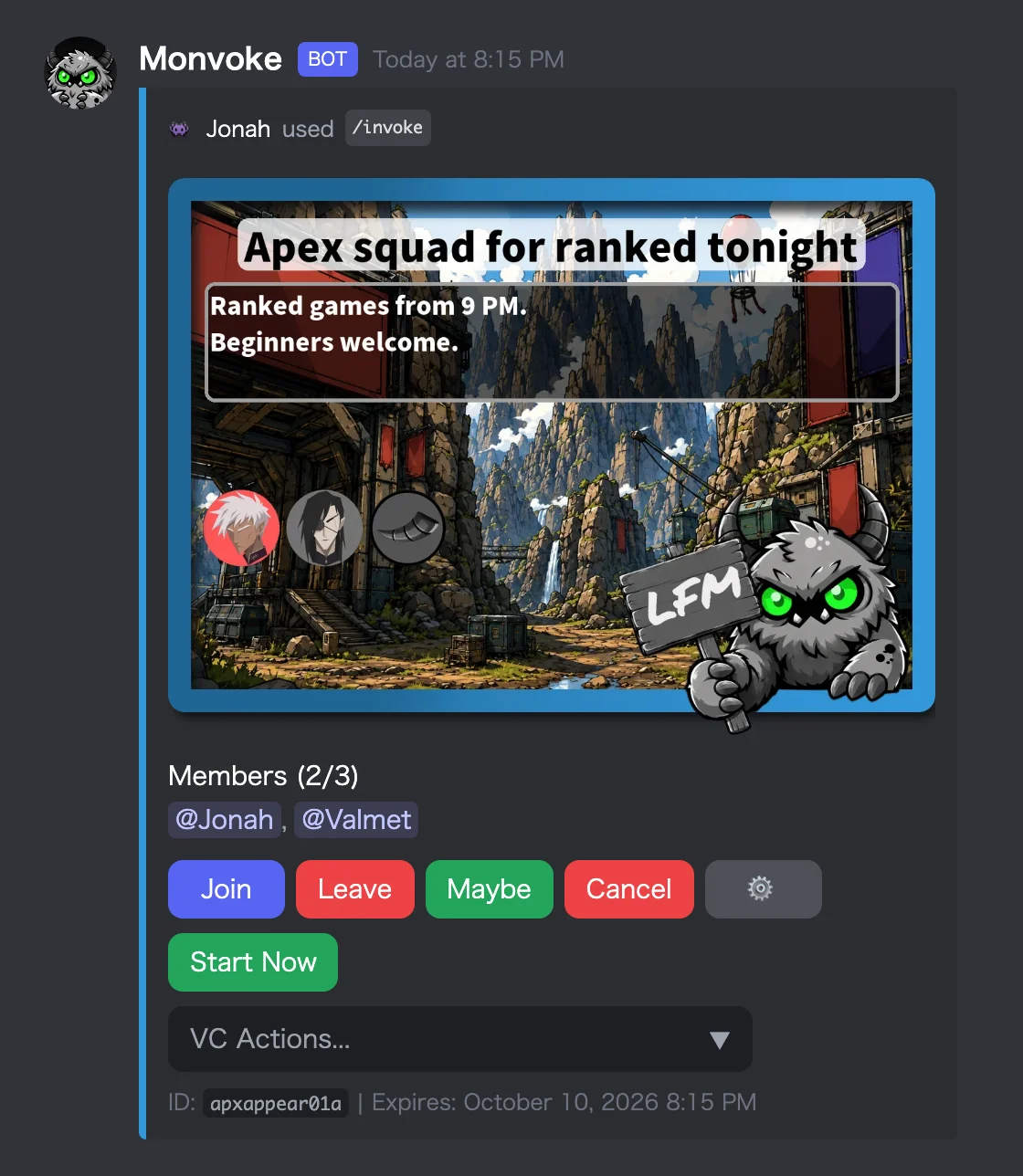
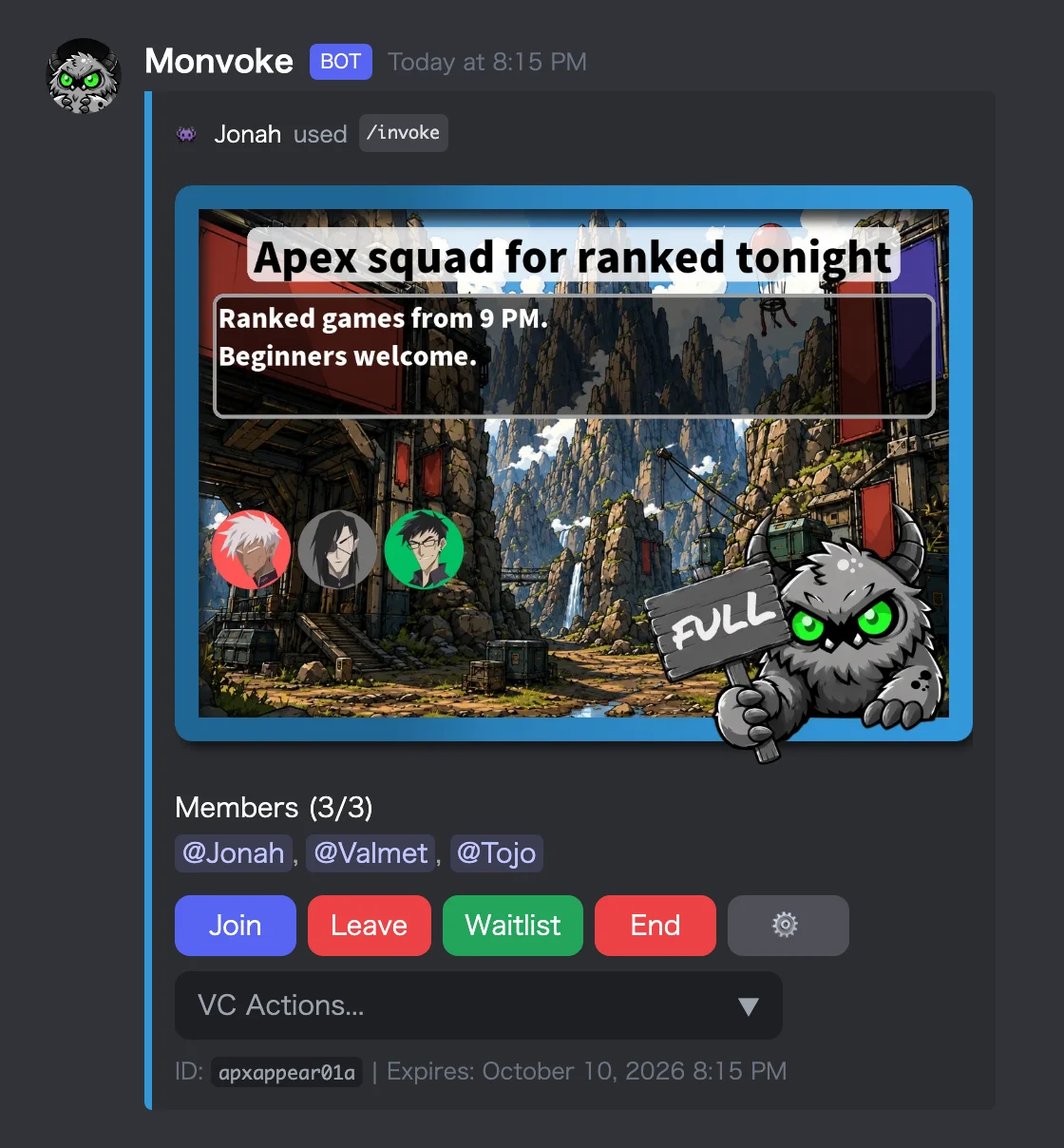
With the recruitment image style, the title and description are drawn onto an image, and member icons line up on it. A character holding a sign shows the state of the post. The default is the Monvoke mascot, and it switches automatically as the post moves between recruiting, full, and ended, so people can tell whether they can still join without reading anything.
Backgrounds come in seven built-in options: wall, wasteland, space, forest, playroom, rainbow, and plaza. Pick one that fits the game or event.
On the Plus plan, you can replace the character with your own artwork. Register one image each for recruiting, full, and ended, and the post switches between them as the status changes. You can also add your own background images alongside the seven built-in ones, so a server mascot or tournament art can sit right on the recruitment image.
Use text for groups that go up all the time
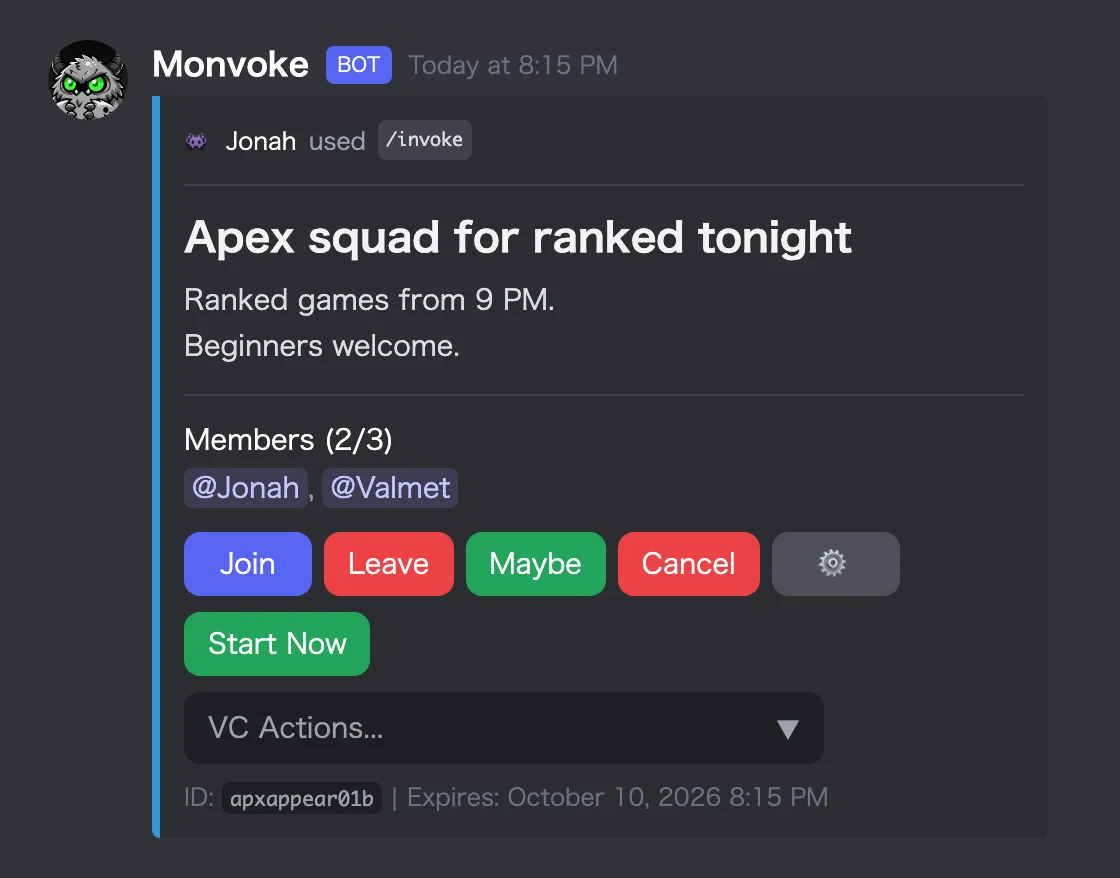
The text style skips the recruitment image and shows the title and description as text. Without the image, the post takes less vertical space, so a channel that sees group after group stays easy to scan.
The colored line on the left edge of the post works in text style too. If you give each game or purpose its own color, you can tell posts apart at a glance.
Text posts can carry an image too. Give an image URL, and the image shows inside the text post. If you want the same image on every post, set a default one in the settings panel.
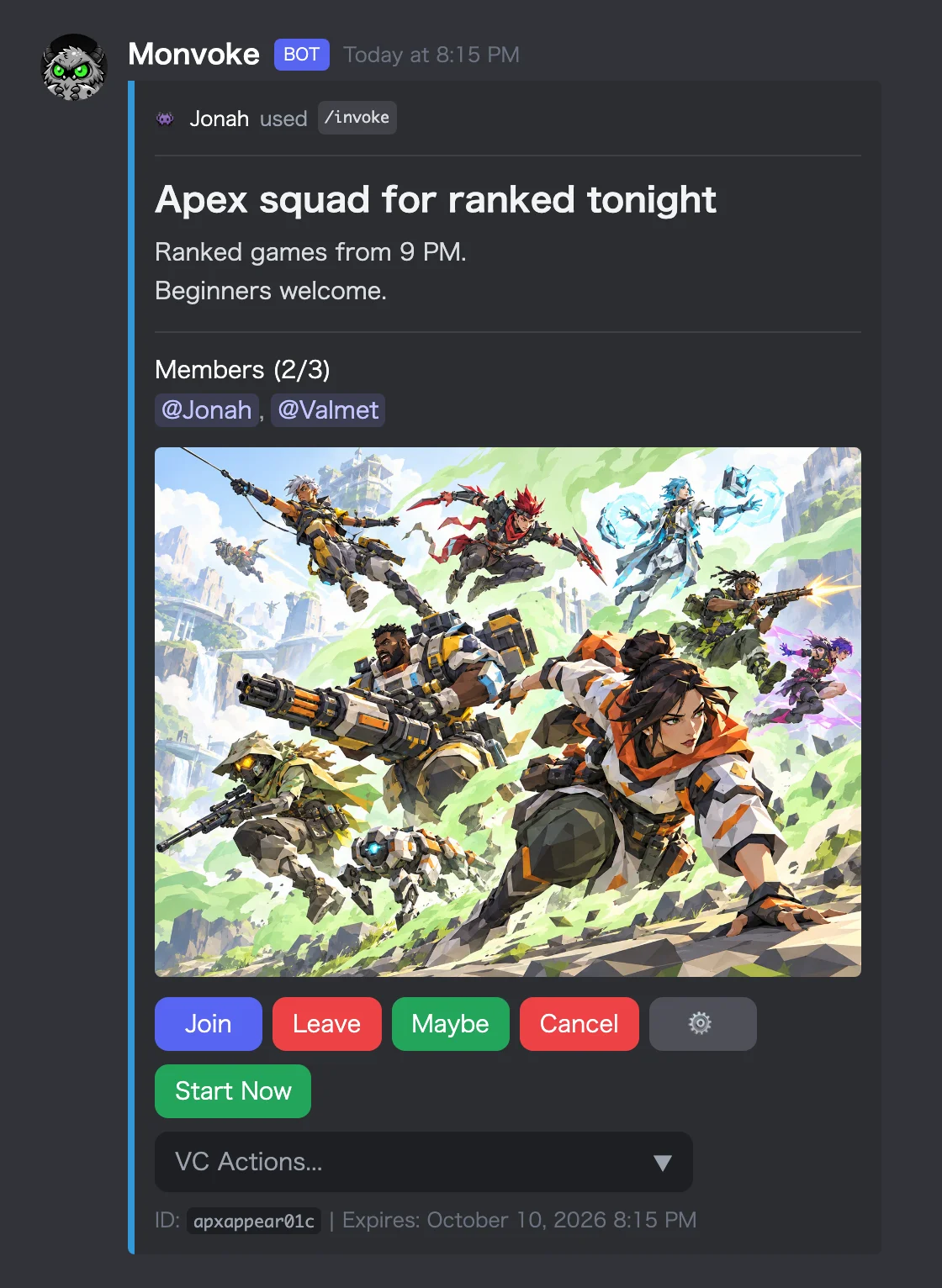
Image for event announcements, text for everyday groups
You pick the style in /config under Recruitment Image Settings. In the panel, press Preview and a sample of the whole post, buttons included, arrives as a separate message, so you can check how it looks before anyone sees it.
If you host a tournament over the weekend, the sign-up post is the one you want to stand out. The ranked groups that go up on weeknights read fine as plain text.
On the Plus plan, you can set the display style per channel. Your tournament channel can use the image style and your everyday LFG channel the text style, with no change needed when you post.